
What Is Zero Trust Network Access (ZTNA)? A Complete Guide to Secure Remote Access with Accops
What happens when an employee’s credentials are stolen, a remote device is compromised, or an attacker gains access through an authorised connection?
For many organisations, the risk does not end with the initial breach. Once inside the network, an attacker may be able to reach sensitive applications, business systems, and confidential data if access controls are too broad.
Traditional security measures such as firewalls, VPNs, and endpoint protection remain important. However, modern work environments require a more focused approach to access security. Employees, contractors, developers, and third-party vendors need access to business applications from different locations and devices, making it essential to verify not only who is requesting access, but also what they should be allowed to access.
This is where Zero Trust Network Access (ZTNA) becomes important.
ZTNA follows a simple principle: never assume that a user or device is trustworthy simply because it has successfully connected to a network. Instead, access should be verified, restricted to authorised resources, and governed by security policies.
With solutions such as Accops HySecure, organisations can move towards application-level access, stronger identity verification, and more controlled remote connectivity without unnecessarily exposing their internal networks.
What Is Zero Trust Network Access (ZTNA)?
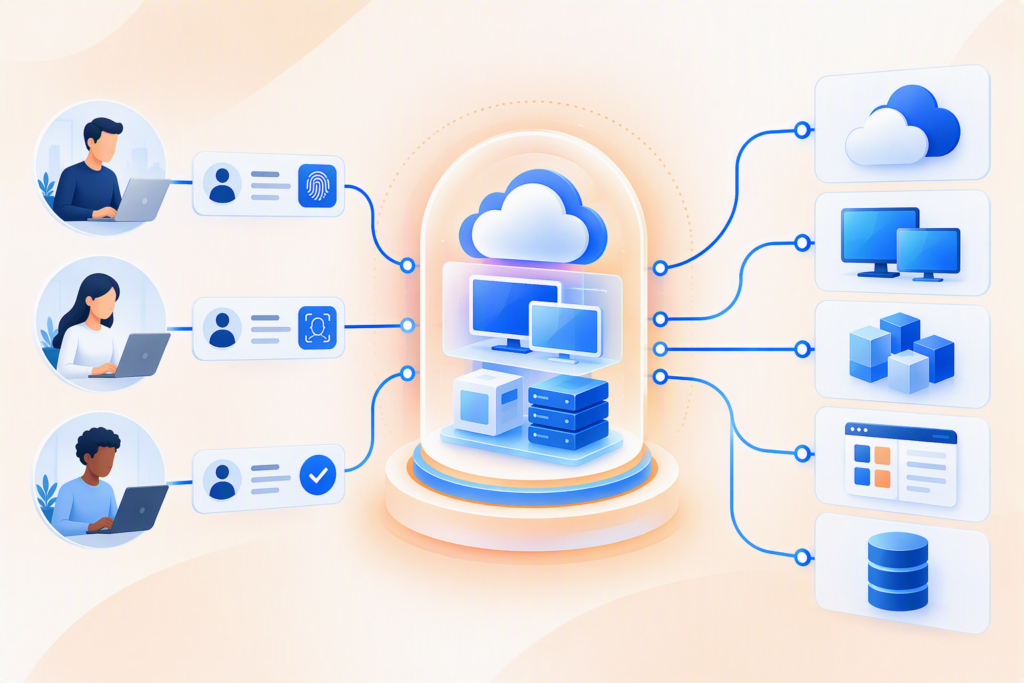
Zero Trust Network Access is a security approach that provides users with controlled access to specific applications and resources after evaluating their identity, device, and access context.
Unlike traditional models that may grant broad network access after a successful VPN connection, ZTNA focuses on granting only the access a user requires to perform their role.
For example, a finance employee may need access to an accounting application, while an external IT consultant may need temporary access to a particular server. Neither should automatically receive unrestricted access to the organisation’s internal network.
A ZTNA solution helps enforce these boundaries through identity-based authentication, application-level permissions, contextual access policies, and centralised monitoring.
The objective is to reduce unnecessary exposure, limit opportunities for unauthorised access, and minimise the potential impact of compromised credentials or devices.
Why Are Organisations Moving Towards ZTNA?
Cybersecurity risks increasingly involve legitimate accounts and authorised access pathways. A stolen password or compromised endpoint can become a serious security concern when access permissions extend beyond what a user actually needs.
Several challenges make traditional remote access approaches difficult to manage in modern organisations.
1. Compromised credentials
Attackers may use stolen usernames, passwords, or session credentials to impersonate legitimate users. Password protection alone may not be sufficient to prevent unauthorised access.
ZTNA strengthens access decisions by incorporating additional authentication methods and contextual security checks.
2. Broad network access
Traditional VPN configurations can provide users with access to a wider network segment than their roles require. If an account is compromised, this broader access may increase the risk of lateral movement.
ZTNA reduces this exposure by restricting connectivity to approved applications and resources.
3. Unmanaged and remote devices
Employees and third-party users may connect from personal laptops, home networks, or devices outside the organisation’s direct control. These endpoints may not meet corporate security requirements.
ZTNA solutions can evaluate available device posture signals, such as operating system updates and security software status, before granting access.
4. Data leakage from endpoints
Accessing sensitive information on unmanaged devices can introduce risks involving file downloads, copying, printing, or local data storage.
Depending on the solution and configuration, application access controls and session restrictions can help organisations reduce these risks.
5. Compliance and audit requirements
Organisations in banking, healthcare, government, and other regulated sectors must demonstrate appropriate access governance and protection of sensitive information.
Centralised access policies, authentication controls, and audit logs help security teams monitor access activity and support compliance processes.
How Does ZTNA Work?
ZTNA applies a controlled process before and during access to protected resources. The exact implementation varies by solution, but the core approach typically involves the following steps.
Step 1: Verify the user’s identity
The system authenticates the user before access is granted. Depending on the deployment, this may include passwords, multi-factor authentication (MFA), single sign-on (SSO), or integration with an enterprise identity provider.
Step 2: Evaluate the device and access context
The solution can assess available information about the connecting device and the access request. Relevant signals may include device compliance, location, time, and application sensitivity.
Step 3: Apply least-privilege access
The user receives access only to the applications or resources permitted by the organisation’s policies. Access to one application does not automatically mean access to every internal system.
Step 4: Establish secure application connectivity
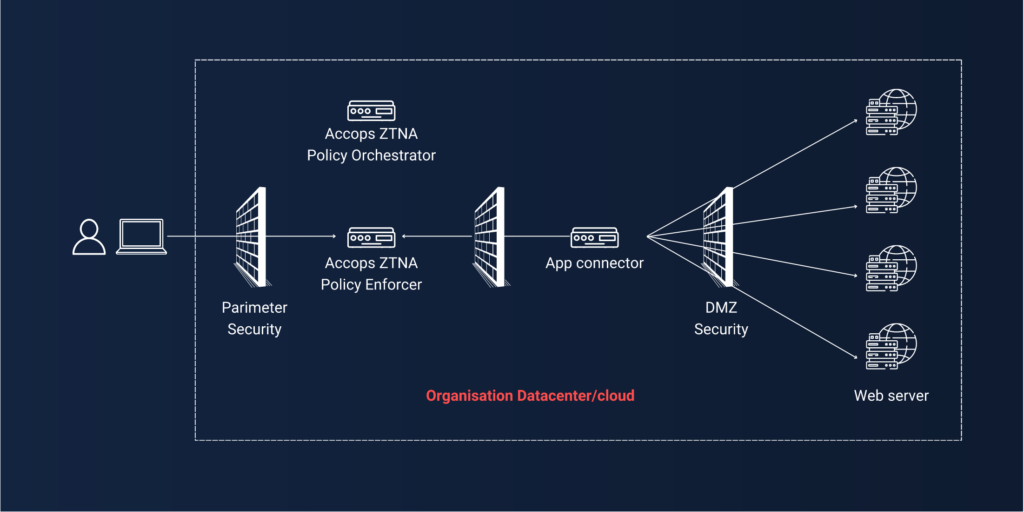
The ZTNA gateway brokers a secure connection between the authorised user and the required application. Depending on the architecture, this can help keep internal applications hidden from direct external network exposure.
Step 5: Monitor access and enforce policies
Access logs and applicable session controls help administrators review activity, investigate suspicious behaviour, and manage access according to organisational requirements.
Together, these steps help create a more controlled access environment in which connectivity is based on verified permissions rather than assumed trust.
ZTNA vs VPN: What Is the Difference?
Virtual Private Networks (VPNs) have traditionally enabled remote employees to connect securely to corporate networks. However, the level of access provided depends on how the VPN is configured.
ZTNA takes a different approach by prioritising access to specific applications instead of automatically extending network-level connectivity.
Feature | Traditional VPN approach | ZTNA approach |
Access model | Often network-level access | Application-level access |
Trust assumptions | Depends on configuration and authentication | Explicit verification and policy-based access |
Access permissions | May provide access to a broader network segment | Restricts access to authorised applications |
Device assessment | Depends on the VPN solution and configuration | Can incorporate device posture into access decisions |
Attack surface | Broad connectivity may increase exposure | Application-scoped access helps reduce exposure |
Access visibility | Depends on available logging and controls | Centralised access visibility can support monitoring and auditing |
Does ZTNA mean organisations must stop using VPNs?
Not necessarily. The right approach depends on the organisation’s applications, infrastructure, security requirements, and existing investments. Some environments may retain VPNs for particular use cases while adopting ZTNA for application-specific remote access.
The key consideration is whether users receive only the access they need and whether that access is governed by appropriate security controls.
Key Benefits of Zero Trust Network Access
Reduced attack surface
ZTNA can help reduce the exposure of internal systems by providing controlled application connectivity rather than unnecessarily exposing entire network segments.
Stronger identity and access security
Integrating MFA, SSO, and identity-based policies helps organisations strengthen authentication and manage access more consistently.
Controlled access for remote employees and third parties
Employees, contractors, support engineers, and external vendors can receive access to the applications required for their roles without automatically obtaining broad internal network access.
Improved endpoint security controls
Device posture checks and applicable endpoint restrictions can help organisations enforce security requirements before allowing access to sensitive applications.
Better visibility and audit readiness
Centralised access logs provide information about user activity and application access, helping security teams investigate incidents and support internal audits.
Support for hybrid work
ZTNA enables organisations to extend controlled access to distributed workforces while applying consistent security policies across supported locations and devices.
Reduced risk of lateral movement
By restricting users to specific applications and limiting unnecessary network connectivity, ZTNA can help reduce opportunities for attackers to move between systems after compromising an account or endpoint.
ZTNA is not a complete replacement for other security controls. It works best as part of a broader security strategy that includes endpoint protection, identity security, network segmentation, and continuous monitoring.
How Accops HySecure Enables ZTNA
Accops HySecure is a Zero Trust Network Access solution designed to provide secure access to enterprise applications and resources. It helps organisations apply access policies based on user identity, device information, and contextual conditions.
Rather than relying solely on network connectivity as a basis for trust, HySecure supports controlled access to applications through a secure access gateway.
Key capabilities include:
Application-level access
HySecure supports application-scoped connectivity, helping organisations limit access to authorised applications instead of granting unnecessary network-wide access.
Multi-factor authentication and single sign-on
Integration with authentication mechanisms helps organisations strengthen user verification and simplify access management. Available options depend on the deployment and configuration.
Context-aware access policies
Access decisions can incorporate factors such as user identity, device posture, location, time, and application requirements, depending on the features and policies enabled.
Device posture assessment
Organisations can apply device compliance checks to help determine whether a connecting endpoint meets their security requirements.
Flexible access options
HySecure supports agent-based and agentless access options for supported applications and deployment configurations, helping organisations accommodate different user and endpoint requirements.
Endpoint and session controls
Depending on the selected edition and configuration, available controls can help restrict activities such as copying, printing, or downloading sensitive information.
Centralised access visibility
Access logs and monitoring capabilities help administrators review user activity and support security investigations and audit requirements.
These capabilities can help organisations build a more controlled remote access environment while maintaining convenient access to business-critical applications.
ZTNA Use Cases Across Industries
ZTNA can support organisations with different security, operational, and compliance requirements.
Banking and financial services
Banks and financial institutions manage sensitive financial information and business-critical applications. ZTNA can help restrict access to authorised systems, strengthen authentication, and improve visibility into remote access activity.
Healthcare
Healthcare organisations need to provide appropriate access to patient management systems, clinical applications, and administrative platforms. Application-level access controls can help support secure access while reducing unnecessary exposure of sensitive information.
Government and public sector
Government agencies often manage confidential information and critical public services. ZTNA can help enforce identity-based access policies and provide controlled connectivity for employees, contractors, and approved external users.
Education
Educational institutions may need to support students, faculty, researchers, and administrators accessing learning platforms, virtual labs, and institutional applications. ZTNA can help provide access based on user roles and application requirements.
Manufacturing and retail
Manufacturers and retailers depend on ERP systems, supply chain applications, operational platforms, and business data. Controlled access can help limit connectivity to authorised systems for distributed teams and third-party service providers.
IT services and software development
Development teams and IT service providers frequently access code repositories, testing environments, remote servers, and client systems. ZTNA can help restrict this access to approved resources and reduce unnecessary exposure of sensitive environments.
Best Practices for Implementing ZTNA
Adopting ZTNA requires more than deploying a gateway. Organisations should align access policies with their business requirements and existing security architecture.
- Identify critical applications. Start by identifying the applications, systems, and data that require stronger access controls.
- Apply least privilege. Review user roles and grant access only to the applications and resources necessary for each role.
- Strengthen authentication. Implement MFA and integrate identity management where appropriate.
- Assess device security. Define device compliance requirements and use available posture checks to inform access decisions.
- Reduce unnecessary network exposure. Avoid granting broad connectivity when access to a specific application is sufficient.
- Control sensitive data. Apply suitable restrictions to downloads, clipboard use, printing, and other data-transfer activities where supported and required.
- Monitor access activity. Review access logs, investigate unusual behaviour, and periodically reassess permissions.
- Review policies regularly. Update access rules as users change roles, applications evolve, and security requirements change.
A phased implementation can help organisations validate policies, address compatibility requirements, and improve the user experience before expanding ZTNA across the environment.
Conclusion: Move Beyond Network Access to Secure Application Access
Modern cybersecurity requires organisations to consider what happens after a user successfully connects, not just whether the connection is encrypted or authenticated.
When employees, developers, and third-party users can access more resources than they need, a compromised account or device may create opportunities for further intrusion. ZTNA helps address this challenge by making access more specific, contextual, and controlled.
By applying identity verification, least-privilege access, device checks, and application-level connectivity, organisations can reduce unnecessary exposure while supporting modern working environments.
Accops HySecure helps organisations adopt this approach by enabling secure, policy-driven access to enterprise applications and resources.
The goal is not simply to allow users to connect. It is to ensure that every user receives the right access, to the right application, under the right conditions.